mirror of
https://github.com/gogrlx/nats-server.git
synced 2026-04-15 02:30:40 -07:00

1129 lines
54 KiB
Markdown
1129 lines
54 KiB
Markdown
## <img src="logos/nats-server.png" width="300">
|
|
[![License][License-Image]][License-Url] [![FOSSA Status][Fossa-Image]][Fossa-Url] [![ReportCard][ReportCard-Image]][ReportCard-Url] [![Build][Build-Status-Image]][Build-Status-Url] [![Release][Release-Image]][Release-Url] [![Coverage][Coverage-Image]][Coverage-Url] [](https://bestpractices.coreinfrastructure.org/projects/1895)
|
|
|
|
A High Performance [NATS](https://nats.io) Server written in [Go](https://golang.org) and hosted by the Cloud Native Computing Foundation ([CNCF](https://cncf.io)).
|
|
|
|
|
|
## Quickstart
|
|
|
|
If you just want to start using NATS, and you have [installed Go](https://golang.org/doc/install) 1.9+ and set your $GOPATH:
|
|
|
|
Install and run the NATS server:
|
|
|
|
```
|
|
go get github.com/nats-io/nats-server
|
|
nats-server
|
|
```
|
|
|
|
Install the [Go NATS client](https://github.com/nats-io/nats.go/blob/master/README.md):
|
|
|
|
```
|
|
go get github.com/nats-io/nats.go/
|
|
```
|
|
|
|
## Installation
|
|
|
|
You can install the NATS server binary or Docker image, connect to a NATS service, or build the server from source.
|
|
|
|
### Download
|
|
|
|
The recommended way to install the NATS server is to [download](https://nats.io/download/) one of the pre-built release binaries which are available for OSX, Linux (x86-64/ARM), Windows, and Docker. Instructions for using these binaries are on the [GitHub releases page][github-release].
|
|
|
|
### Demo
|
|
|
|
You can connect to a public NATS server that is running at our demo site: [nats://demo.nats.io:4222](nats://demo.nats.io:4222), and a secure version at [tls://demo.nats.io:4443](nats://demo.nats.io:4443). See the [protocol](#protocol) section for usage.
|
|
|
|
### Build
|
|
|
|
You can build the latest version of the server from the `master` branch. The master branch generally should build and pass tests, but may not work correctly in your environment. Note that stable branches of operating system packagers provided by your OS vendor may not be sufficient.
|
|
|
|
You need [*Go*](https://golang.org/) version 1.9+ [installed](https://golang.org/doc/install) to build the NATS server. We support vendored dependencies.
|
|
|
|
- Run `go version` to verify that you are running Go 1.9+. (Run `go help` for more guidance.)
|
|
- Clone the <https://github.com/nats-io/nats-server> repository.
|
|
- Run `go build` inside the `/nats-io/nats-server` directory. A successful build produces no messages and creates the server executable `nats-server` in the directory.
|
|
- Run `go test ./...` to run the unit regression tests.
|
|
|
|
## Running
|
|
|
|
To start the NATS server with default settings (and no authentication or clustering), you can invoke the `nats-server` binary with no [command line options](#command-line-arguments) or [configuration file](#configuration-file).
|
|
|
|
```sh
|
|
> ./nats-server
|
|
[68229] 2018/08/29 11:50:53.789318 [INF] Starting nats-server version 1.3.0
|
|
[68229] 2018/08/29 11:50:53.789381 [INF] Git commit [not set]
|
|
[68229] 2018/08/29 11:50:53.789566 [INF] Listening for client connections on 0.0.0.0:4222
|
|
[68229] 2018/08/29 11:50:53.789572 [INF] Server is ready
|
|
```
|
|
|
|
The server is started and listening for client connections on port 4222 (the default) from all available interfaces. The logs are displayed to stdout as shown above in the server output.
|
|
|
|
### Clients
|
|
|
|
The NATS ecosystem provides a large range of supported and community clients, including Go, Java, Node, and many more. For the complete up-to-date list, visit the [NATS download site](https://nats.io/download).
|
|
|
|
### Protocol
|
|
|
|
The NATS server uses a [text based protocol](https://nats.io/documentation/internals/nats-protocol/), so interacting with it can be as simple as using telnet as shown below. See also the [protocol demo](https://nats.io/documentation/internals/nats-protocol-demo/).
|
|
|
|
```sh
|
|
> telnet demo.nats.io 4222
|
|
Trying 107.170.221.32...
|
|
Connected to demo.nats.io.
|
|
Escape character is '^]'.
|
|
INFO {"server_id":"5o1EFgWr0QYA1giGmaoRLy","version":"1.2.0","proto":1,"go":"go1.10.3","host":"0.0.0.0","port":4222,"max_payload":1048576,"client_id":25474}
|
|
SUB foo 1
|
|
+OK
|
|
PUB foo 11
|
|
Hello World
|
|
+OK
|
|
MSG foo 1 11
|
|
Hello World
|
|
```
|
|
|
|
### Process Signaling
|
|
|
|
On Unix systems, the NATS server responds to the following signals:
|
|
|
|
| Signal | Result |
|
|
| ------- | ------------------------------------- |
|
|
| SIGKILL | Kills the process immediately |
|
|
| SIGINT | Stops the server gracefully |
|
|
| SIGUSR1 | Reopens the log file for log rotation |
|
|
| SIGHUP | Reloads server configuration file |
|
|
|
|
The `nats-server` binary can be used to send these signals to running NATS servers using the `-sl` flag:
|
|
|
|
```sh
|
|
# Reload server configuration
|
|
nats-server -sl reload
|
|
|
|
# Reopen log file for log rotation
|
|
nats-server -sl reopen
|
|
|
|
# Stop the server
|
|
nats-server -sl stop
|
|
```
|
|
|
|
If there are multiple `nats-server` processes running, or if `pgrep` isn't available, you must either specify a PID or the absolute path to a PID file:
|
|
|
|
```sh
|
|
nats-server -sl stop=<pid>
|
|
```
|
|
|
|
```sh
|
|
nats-server -sl stop=/path/to/pidfile
|
|
```
|
|
|
|
See the [Windows Service](#windows-service) section for information on signaling the NATS server on Windows.
|
|
|
|
### Windows Service
|
|
|
|
The NATS server supports running as a Windows service. In fact, this is the recommended way of running NATS on Windows. There is currently no installer and instead users should use `sc.exe` to install the service:
|
|
|
|
```batch
|
|
sc.exe create nats-server binPath= "%NATS_PATH%\nats-server.exe [nats-server flags]"
|
|
sc.exe start nats-server
|
|
```
|
|
|
|
The above will create and start a `nats-server` service. Note that the nats-server flags should be passed in when creating the service. This allows for running multiple NATS server configurations on a single Windows server by using a 1:1 service instance per installed NATS server service. Once the service is running, it can be controlled using `sc.exe` or `nats-server.exe -sl`:
|
|
|
|
```batch
|
|
REM Reload server configuration
|
|
nats-server.exe -sl reload
|
|
|
|
REM Reopen log file for log rotation
|
|
nats-server.exe -sl reopen
|
|
|
|
REM Stop the server
|
|
nats-server.exe -sl stop
|
|
```
|
|
|
|
The above commands will default to controlling the `nats-server` service. If the service is another name, it can be specified:
|
|
|
|
```batch
|
|
nats-server.exe -sl stop=<service name>
|
|
```
|
|
|
|
## Command line arguments
|
|
|
|
The NATS server accepts command line arguments to control its behavior. Usage is shown below. Note that command line arguments override those items in the [configuration file](#configuration-file).
|
|
|
|
```
|
|
Server Options:
|
|
-a, --addr <host> Bind to host address (default: 0.0.0.0)
|
|
-p, --port <port> Use port for clients (default: 4222)
|
|
-P, --pid <file> File to store PID
|
|
-m, --http_port <port> Use port for http monitoring
|
|
-ms,--https_port <port> Use port for https monitoring
|
|
-c, --config <file> Configuration file
|
|
-sl,--signal <signal>[=<pid>] Send signal to nats-server process (stop, quit, reopen, reload)
|
|
<pid> can be either a PID (e.g. 1) or the path to a PID file (e.g. /var/run/nats-server.pid)
|
|
--client_advertise <string> Client URL to advertise to other servers
|
|
-t Test configuration and exit
|
|
|
|
Logging Options:
|
|
-l, --log <file> File to redirect log output
|
|
-T, --logtime Timestamp log entries (default: true)
|
|
-s, --syslog Log to syslog or windows event log
|
|
-r, --remote_syslog <addr> Syslog server addr (udp://localhost:514)
|
|
-D, --debug Enable debugging output
|
|
-V, --trace Trace the raw protocol
|
|
-DV Debug and trace
|
|
|
|
Authorization Options:
|
|
--user <user> User required for connections
|
|
--pass <password> Password required for connections
|
|
--auth <token> Authorization token required for connections
|
|
|
|
TLS Options:
|
|
--tls Enable TLS, do not verify clients (default: false)
|
|
--tlscert <file> Server certificate file
|
|
--tlskey <file> Private key for server certificate
|
|
--tlsverify Enable TLS, verify client certificates
|
|
--tlscacert <file> Client certificate CA for verification
|
|
|
|
Cluster Options:
|
|
--routes <rurl-1, rurl-2> Routes to solicit and connect
|
|
--cluster <cluster-url> Cluster URL for solicited routes
|
|
--no_advertise <bool> Advertise known cluster IPs to clients
|
|
--cluster_advertise <string> Cluster URL to advertise to other servers
|
|
--connect_retries <number> For implicit routes, number of connect retries
|
|
|
|
|
|
Common Options:
|
|
-h, --help Show this message
|
|
-v, --version Show version
|
|
--help_tls TLS help
|
|
```
|
|
|
|
## Configuration file
|
|
|
|
Typically you configure the NATS server using a configuration file, an example of which is shown below. See also the [server configuration file](https://nats.io/documentation/managing_the_server/configuration/) documentation for details on the configuration language.
|
|
|
|
```
|
|
listen: localhost:4242 # host/port to listen for client connections
|
|
|
|
http: localhost:8222 # HTTP monitoring port
|
|
|
|
# Authorization for client connections
|
|
authorization {
|
|
user: derek
|
|
# ./util/mkpasswd/mkpasswd -p T0pS3cr3t
|
|
password: $2a$11$W2zko751KUvVy59mUTWmpOdWjpEm5qhcCZRd05GjI/sSOT.xtiHyG
|
|
timeout: 1
|
|
}
|
|
|
|
# Cluster definition
|
|
|
|
cluster {
|
|
|
|
listen: localhost:4244 # host/port for inbound route connections
|
|
|
|
# Authorization for route connections
|
|
authorization {
|
|
user: route_user
|
|
# ./util/mkpasswd -p T0pS3cr3tT00!
|
|
password: $2a$11$xH8dkGrty1cBNtZjhPeWJewu/YPbSU.rXJWmS6SFilOBXzmZoMk9m
|
|
timeout: 0.5
|
|
}
|
|
|
|
# Routes are actively solicited and connected to from this server.
|
|
# Other servers can connect to us if they supply the correct credentials
|
|
# in their routes definitions from above.
|
|
|
|
routes = [
|
|
nats-route://user1:pass1@127.0.0.1:4245
|
|
nats-route://user2:pass2@127.0.0.1:4246
|
|
]
|
|
}
|
|
|
|
# logging options
|
|
debug: false
|
|
trace: true
|
|
logtime: false
|
|
log_file: "/tmp/nats-server.log"
|
|
|
|
# pid file
|
|
pid_file: "/tmp/nats-server.pid"
|
|
|
|
# Some system overides
|
|
|
|
# max_connections
|
|
max_connections: 100
|
|
|
|
# max_subscriptions (per connection)
|
|
max_subscriptions: 1000
|
|
|
|
# maximum protocol control line
|
|
max_control_line: 512
|
|
|
|
# maximum payload
|
|
max_payload: 65536
|
|
|
|
# Duration the server can block on a socket write to a client. Exceeding the
|
|
# deadline will designate a client as a slow consumer.
|
|
write_deadline: "2s"
|
|
```
|
|
|
|
Inside configuration files, string values support the following escape characters: `\xXX, \t, \n, \r, \", \\`. Take note that when specifying directory paths in options such as `pid_file` and `log_file` on Windows, you'll need to escape backslashes, e.g. `log_file: "c:\\logging\\log.txt"`, or use unix style (`/`) path separators.
|
|
|
|
## Variables
|
|
|
|
The NATS sever configuration language supports block-scoped variables that can be used for templating in the configuration file, and specifically to ease setting of group values for [permission fields](#authorization) and [user authentication](#authentication).
|
|
|
|
Variables can be referenced by the prefix `$`, for example: `$PASSWORD`. Variables can be defined in the configuration file itself or reference environment variables.
|
|
|
|
Any value in the configuration language can be a variable reference (`key=$VALUE`). Note that the variable identifier (name) is not case sensitive, but is capitalized by convention for readability.
|
|
|
|
## Clustering
|
|
|
|
Clustering lets you scale NATS messaging by having multiple NATS servers communicate with each other. Clustering lets messages published to one server be routed and received by a subscriber on another server. See also the [clustered NATS](https://nats.io/documentation/managing_the_server/clustering/) documentation.
|
|
|
|
### Full mesh required
|
|
|
|
In order for clustering to work correctly, all NATS servers must be connected to each other.
|
|
|
|
NATS servers have a forwarding limit of one hop. This means that each server will **only** forward a message that it has received **from a client** to all connected servers that expressed interest in the message's published subject. A message received **from** a route will only be distributed to local clients.
|
|
|
|
### Configuration options
|
|
|
|
NATS supports running each server in clustered mode. The following command line options are supported:
|
|
|
|
--cluster [cluster url] Cluster URL for solicited routes
|
|
--routes [rurl-1, rurl-2] Routes to solicit and connect
|
|
|
|
The `--cluster` flag specifies the NATS URL where the server listens for connections from other servers.
|
|
|
|
The `--routes` flag specifies the NATS URL for one or more servers in the cluster. When a server connects to a specified route, it will advertise its own cluster URL to other servers. Note that when the `--routes` option is specified a `--cluster` option is also required.
|
|
|
|
Previous releases required you to build the complete mesh using the `--routes` flag. To define your cluster in the current release, please follow the "Basic example" as described below.
|
|
|
|
Suppose that server srvA is connected to server srvB. A bi-directional route exists between srvA and srvB. A new server, srvC, connects to srvA.<br>
|
|
When accepting the connection, srvA will gossip the address of srvC to srvB so that srvB connects to srvC, completing the full mesh.<br>
|
|
The URL that srvB will use to connect to srvC is the result of the TCP remote address that srvA got from its connection to srvC.
|
|
|
|
It is possible to advertise with `--cluster_advertise` a different address than the one used in `--cluster`.
|
|
|
|
In the previous example, if srvC uses a `--cluster_advertise` URL, this is what srvA will gossip to srvB in order to connect to srvC.
|
|
|
|
NOTE: The advertise address should really result in a connection to srvC. Providing an address that would result in a connection to a different NATS Server would prevent the formation of a full-mesh cluster!
|
|
|
|
As part of the gossip protocol, a server will also send to the other servers the URL clients should connect to.<br>
|
|
The URL is the one defined in the `listen` parameter, or, if 0.0.0.0 or :: is specified, the resolved non-local IP addresses for the "any" interface.
|
|
|
|
If those addresses are not reachable from the outside world where the clients are running, the administrator can use the `--no_advertise` option to disable servers gossiping those URLs.<br>
|
|
Another option is to provide a `--client_advertise` URL to use instead. If this option is specified (and advertise has not been disabled), then the server will advertise this URL to other servers instead of its `listen` address (or resolved IPs when listen is 0.0.0.0 or ::).
|
|
|
|
|
|
### Basic example
|
|
|
|
NATS makes building the full mesh easy. Simply designate a server to be a *seed* server. All other servers in the cluster simply specify the *seed* server as its server's routes option as indicated below.
|
|
|
|
When running NATS Servers in different hosts, the command line parameters for all servers could be as simple as:
|
|
|
|
```
|
|
nats-server --cluster nats://$HOSTNAME:$NATS_CLUSTER_PORT --routes nats://$NATS_SEED_HOST:$NATS_CLUSTER_PORT
|
|
```
|
|
|
|
Even on the host where the *seed* is running, the above would work as the server would detect an attempt to connect to itself and ignore that. In other words, the same command line could be deployed in several hosts and the full mesh will properly form.
|
|
|
|
Note that you don't have to connect all servers to the same *seed* server, any server accepting a connection will inform other servers in the mesh about that new server so that they can connect to it. The advantage of the seed approach, is that you can deploy the same configuration to all hosts.
|
|
|
|
### 3-node example
|
|
|
|
The following example demonstrates how to run a cluster of 3 servers on the same host. We will start with the seed server and use the `-D` command line parameter to produce debug information.
|
|
|
|
See also [clustered NATS](https://nats.io/documentation/managing_the_server/clustering/) for clustered NATS examples using Docker.
|
|
|
|
```
|
|
nats-server -p 4222 -cluster nats://localhost:4248
|
|
```
|
|
|
|
Alternatively, you could use a configuration file, let's call it `seed.conf`, with a content similar to this:
|
|
|
|
```
|
|
# Cluster Seed Node
|
|
|
|
listen: 127.0.0.1:4222
|
|
http: 8222
|
|
|
|
cluster {
|
|
listen: 127.0.0.1:4248
|
|
}
|
|
```
|
|
|
|
And start the server like this:
|
|
|
|
```
|
|
nats-server -config ./seed.conf -D
|
|
```
|
|
|
|
This will produce an output similar to:
|
|
|
|
```
|
|
[75653] 2016/04/26 15:14:47.339321 [INF] Listening for route connections on 127.0.0.1:4248
|
|
[75653] 2016/04/26 15:14:47.340787 [INF] Listening for client connections on 127.0.0.1:4222
|
|
[75653] 2016/04/26 15:14:47.340822 [DBG] server id is xZfu3u7usAPWkuThomoGzM
|
|
[75653] 2016/04/26 15:14:47.340825 [INF] server is ready
|
|
```
|
|
|
|
It is also possible to specify the hostname and port independently. At least the port is required. If you leave the hostname off it will bind to all the interfaces ('0.0.0.0').
|
|
|
|
```
|
|
cluster {
|
|
host: 127.0.0.1
|
|
port: 4248
|
|
}
|
|
```
|
|
|
|
Now let's start two more servers, each one connecting to the seed server.
|
|
|
|
```
|
|
nats-server -p 5222 -cluster nats://localhost:5248 -routes nats://localhost:4248 -D
|
|
```
|
|
|
|
When running on the same host, we need to pick different ports for the client connections `-p`, and for the port used to accept other routes `-cluster`. Note that `-routes` points to the `-cluster` address of the seed server (`localhost:4248`).
|
|
|
|
Here is the log produced. See how it connects and registers a route to the seed server (`...GzM`).
|
|
|
|
```
|
|
[75665] 2016/04/26 15:14:59.970014 [INF] Listening for route connections on localhost:5248
|
|
[75665] 2016/04/26 15:14:59.971150 [INF] Listening for client connections on 0.0.0.0:5222
|
|
[75665] 2016/04/26 15:14:59.971176 [DBG] server id is 53Yi78q96t52QdyyWLKIyE
|
|
[75665] 2016/04/26 15:14:59.971179 [INF] server is ready
|
|
[75665] 2016/04/26 15:14:59.971199 [DBG] Trying to connect to route on localhost:4248
|
|
[75665] 2016/04/26 15:14:59.971551 [DBG] 127.0.0.1:4248 - rid:1 - Route connection created
|
|
[75665] 2016/04/26 15:14:59.971559 [DBG] 127.0.0.1:4248 - rid:1 - Route connect msg sent
|
|
[75665] 2016/04/26 15:14:59.971720 [DBG] 127.0.0.1:4248 - rid:1 - Registering remote route "xZfu3u7usAPWkuThomoGzM"
|
|
[75665] 2016/04/26 15:14:59.971731 [DBG] 127.0.0.1:4248 - rid:1 - Route sent local subscriptions
|
|
```
|
|
|
|
From the seed's server log, we see that the route is indeed accepted:
|
|
|
|
```
|
|
[75653] 2016/04/26 15:14:59.971602 [DBG] 127.0.0.1:52679 - rid:1 - Route connection created
|
|
[75653] 2016/04/26 15:14:59.971733 [DBG] 127.0.0.1:52679 - rid:1 - Registering remote route "53Yi78q96t52QdyyWLKIyE"
|
|
[75653] 2016/04/26 15:14:59.971739 [DBG] 127.0.0.1:52679 - rid:1 - Route sent local subscriptions
|
|
```
|
|
|
|
Finally, let's start the third server:
|
|
|
|
```
|
|
nats-server -p 6222 -cluster nats://localhost:6248 -routes nats://localhost:4248 -D
|
|
```
|
|
|
|
Again, notice that we use a different client port and cluster address, but still point to the same seed server at the address `nats://localhost:4248`:
|
|
|
|
```
|
|
[75764] 2016/04/26 15:19:11.528185 [INF] Listening for route connections on localhost:6248
|
|
[75764] 2016/04/26 15:19:11.529787 [INF] Listening for client connections on 0.0.0.0:6222
|
|
[75764] 2016/04/26 15:19:11.529829 [DBG] server id is IRepas80TBwJByULX1ulAp
|
|
[75764] 2016/04/26 15:19:11.529842 [INF] server is ready
|
|
[75764] 2016/04/26 15:19:11.529872 [DBG] Trying to connect to route on localhost:4248
|
|
[75764] 2016/04/26 15:19:11.530272 [DBG] 127.0.0.1:4248 - rid:1 - Route connection created
|
|
[75764] 2016/04/26 15:19:11.530281 [DBG] 127.0.0.1:4248 - rid:1 - Route connect msg sent
|
|
[75764] 2016/04/26 15:19:11.530408 [DBG] 127.0.0.1:4248 - rid:1 - Registering remote route "xZfu3u7usAPWkuThomoGzM"
|
|
[75764] 2016/04/26 15:19:11.530414 [DBG] 127.0.0.1:4248 - rid:1 - Route sent local subscriptions
|
|
[75764] 2016/04/26 15:19:11.530595 [DBG] 127.0.0.1:52727 - rid:2 - Route connection created
|
|
[75764] 2016/04/26 15:19:11.530659 [DBG] 127.0.0.1:52727 - rid:2 - Registering remote route "53Yi78q96t52QdyyWLKIyE"
|
|
[75764] 2016/04/26 15:19:11.530664 [DBG] 127.0.0.1:52727 - rid:2 - Route sent local subscriptions
|
|
```
|
|
|
|
First a route is created to the seed server (`...GzM`) and after that, a route from `...IyE` - which is the ID of the second server - is accepted.
|
|
|
|
The log from the seed server shows that it accepted the route from the third server:
|
|
|
|
```
|
|
[75653] 2016/04/26 15:19:11.530308 [DBG] 127.0.0.1:52726 - rid:2 - Route connection created
|
|
[75653] 2016/04/26 15:19:11.530384 [DBG] 127.0.0.1:52726 - rid:2 - Registering remote route "IRepas80TBwJByULX1ulAp"
|
|
[75653] 2016/04/26 15:19:11.530389 [DBG] 127.0.0.1:52726 - rid:2 - Route sent local subscriptions
|
|
```
|
|
|
|
And the log from the second server shows that it connected to the third.
|
|
|
|
```
|
|
[75665] 2016/04/26 15:19:11.530469 [DBG] Trying to connect to route on 127.0.0.1:6248
|
|
[75665] 2016/04/26 15:19:11.530565 [DBG] 127.0.0.1:6248 - rid:2 - Route connection created
|
|
[75665] 2016/04/26 15:19:11.530570 [DBG] 127.0.0.1:6248 - rid:2 - Route connect msg sent
|
|
[75665] 2016/04/26 15:19:11.530644 [DBG] 127.0.0.1:6248 - rid:2 - Registering remote route "IRepas80TBwJByULX1ulAp"
|
|
[75665] 2016/04/26 15:19:11.530650 [DBG] 127.0.0.1:6248 - rid:2 - Route sent local subscriptions
|
|
```
|
|
|
|
At this point, there is a full mesh cluster of NATS servers.
|
|
|
|
## SuperCluster (a.k.a Gateways)
|
|
|
|
### Concepts
|
|
|
|
A NATS SuperCluster is a new network topology that allows clusters of smaller clusters.
|
|
|
|
Gateways are cluster aware, but only connect to a server in the other cluster and do not depend on any information from local neighbors. Gateways are also uni-directional, so there are outbound connections and inbound connections. Normally a mesh or cluster topology would require N connections to another cluster with N members.
|
|
|
|
The systems can get very large and gateway connections are built to be intelligent between interest graph traffic vs data traffic.
|
|
|
|
#### Connectivity
|
|
|
|
Gateways have their own configuration section in the configuration file (which will be discussed in detail later). The section includes the name of the cluster to which the the server belongs and a list of zero or more gateways (or remote clusters) to which the server should connect.
|
|
|
|
In simple terms, a server could define its cluster name to be "A" and define a gateway to a cluster "B".
|
|
|
|
Each server creates one and only one outbound connection to each cluster in its list. It can have 0 or more gateway connections from remote cluster(s).
|
|
|
|
As an example, suppose there are 2 clusters; A and B. Cluster A has one server and B has 2 servers. When the server in cluster A starts, it creates a single outbound connection to cluster B. Its configuration specifies a URL (or an array of URLs) to connect to cluster B. Note that if a URL resolves to several IPs, the server will randomly pick one of those IPs to connect to the remote cluster.
|
|
|
|
On cluster B, each server also creates a single outbound connection to cluster A, but since there is only one server in that cluster, it is easy to understand that the server in cluster A has 2 inbound connections (one from each server in cluster B), and one of the server in cluster B has an inbound gateway connection (from the sole server in cluster A), while the other server in cluster B has zero.
|
|
|
|
When a server creates an outbound gateway connection to a cluster, the server, in return, receives the information about all gateway URLs on that cluster, e.g. all of the gateway `host:port` URLs the servers in that cluster are listening to for gateway connections. This allows the connecting server to update its list of URLs (possibly augmenting its configured list) so that if the connecting server gets disconnected, it has more URLs to pick from to randomly connect to any server in that cluster. The connecting server will also gossip this information to its peers in its cluster so they also update their information about the remote cluster. As a step further, a server creating an outbound gateway connection to a remote cluster will also learn about all gateways known by that other server. This is the same idea as auto-discovery within a cluster, or as client libraries auto-discover servers in the cluster.
|
|
|
|
For example, say a server in cluster A has only one gateway configured to cluster B, but servers in cluster B have a configured gateway to cluster C. When a server in cluster A connects to B, it is made aware of cluster C and starts initiating an outbound connection to that cluster; it will get the list of all URLs to cluster C and will pick a random URL to connect to. It will also gossip information about cluster C to all its routes in its own cluster, so they can too create their outbound connection to cluster C. In response to an inbound connection from cluster A, cluster C also connects to cluster A. Now all clusters (A, B and C) are inter-connected although A and C did not explicitly configure each other.
|
|
|
|
If this auto-discovery behavior is undesirable, the configuration parameter, `reject_unknown` can be set to instruct the accepting server to reject the gateway connection if it is not in its configuration file, or to not initiate outbound connections to unknown gateways. Additional information on the `reject_unknown` parameter can be found in the configuration section of this README.
|
|
|
|
#### Optimistic mode
|
|
|
|
By default, a server does not send local and cluster-wide subscriptions interest to its inbound gateway connections. Instead, the remote gateway checks if it has registered a no-interest on a specific account and/or subject. If there is no such record, it sends the message. If there is no interest on the other side, a protocol is sent back to indicate there is no interest either on the whole account (if there is no subscription at all, on any subject) or on that specific subject. After receiving this protocol, a server stops sending messages to this gateway on the specified account and/or subject. A change in subscription in the cluster would cause a protocol message to remove the no-interest.
|
|
|
|
To illustrate, let's define two clusters named A and B, having one server on each, server A and server B respectively. For this example, server A and server B each have an outbound gateway connection to each other, and therefore an inbound gateway connection from each other.
|
|
|
|
Suppose a client connects to server B under account `MyAccount` and publishes on subject `foo`. Server B sends this message to its client subscriptions (if any) and to its routes if there is an interest in its cluster. Then comes the gateways. For gateway `A`, it checks if there is a registered no-interest on account `MyAccount/foo`. Since this is not the case, it sends the message to server A. When server A receives the message from its inbound gateway connection, it first looks-up the account `MyAccount`. If the account is not registered, server A sends a no-interest protocol for this account so server B stops sending messages on any subject on this account. Same occurs if the account is registered but there is no subscription to any subject on this account. If there is a subscription interest on `bar` but not `foo`, then server A sends a protocol to indicate no interest on `foo`. If later a subscription on `foo` is created in cluster A (directly on server A or any server in cluster A), server A knows that it has sent a no-interest protocol on `MyAccount` (or `foo` depending on the situation), so it has to send a protocol to cancel the no-interest.
|
|
|
|
Note that this only applies to non-queue subscriptions.
|
|
|
|
#### Interest-only mode
|
|
|
|
Using the example above, if server B sends a lot of messages on various subjects for which server A has no interest, server A sends to its inbound gateway connection a protocol message indicating that server B should now stop sending optimistically and instead send only if there is a known interest for the subject on server A. Server A sends its list of plain subscriptions and will now do so anytime there is a new subscription, or when the last subscription on a given subject is gone.
|
|
|
|
#### Queue subscriptions
|
|
|
|
Queue subscriptions behave as if the inbound gateway connection was in interest-only mode, that is, any local or cluster-wide queue subscription is sent to a server's inbound gateway connections. With the example above, if a client connected to server A creates a queue subscription on subject `foo` with queue name `bar`, a subscription interest is sent to server B. Note there is a single protocol per account, per subject and per queue name. When the last of the queue subscription is gone, an unsubscribe protocol is sent to server B.
|
|
|
|
Why do queue subscriptions differ from plain subscriptions? Because the queue subscriptions interest is global and still honors that a given message must be delivered to one and only one queue subscriber on a given subject for the same queue name.
|
|
|
|
Gateways favor delivery to local queue subscriptions but with automatic failover to remote clusters. Again, using the previous example, say there is a queue subscription on `foo` for queue `bar` on server B and server A. If a client connects to server B and sends a message on `foo`, server B will deliver all messages to its client and not send it across the gateway to server A.
|
|
|
|
If a queue subscription on `foo` for queue `baz` is created on server A, then the message is sent to `foo`/`bar` on server B and `foo`/`baz` to the gateway to server A (since it is a different queue group). Also, if the queue subscription on server B was unsubscribed, server B would then send to `foo`/`bar` and `foo`/`baz` through the gateway to server A.
|
|
|
|
Note that since a given message can be sent only once to a given queue group, if several clusters have the same queue group (and this group does not exist in the cluster the message originates from), the server handling the published message indicates to the remote destination clusters which of the queue groups the message will be delivered. However, the final decision to send to a particular queue subscriber is left to the destination cluster. It is possible that by the time the message arrives to the destination cluster the queue subscription interest has just disappeared. In that case, the message is not re-routed to other clusters.
|
|
|
|
Suppose there are 4 clusters A, B, C and D, all connected with gateways. Here is the list of queue subscriptions on subject `foo` for each cluster:
|
|
|
|
| Cluster | Queue Subscriptions on `foo` |
|
|
|:-------:|------------------------------|
|
|
| A | \<none\> |
|
|
| B | `bar`, `baz`, `bat` |
|
|
| C | `bar`, `bat` |
|
|
| D | `bar` |
|
|
|
|
If a message on `foo` is published on cluster A, the server on that cluster has to decide which queues will get this message. Again, since for a given queue a message needs to be sent to a single subscriber, and since queue `bar` exists in clusters B, C and D, the server in cluster A needs to "pick" one of the clusters that will receive the message on that queue.
|
|
|
|
Say cluster C is the pick for queue `bar`, then it means that this message must not be delivered to that queue group on B and D. Same applies for other queue groups. Here is a possible delivery sequence to remote clusters:
|
|
```
|
|
send to C, delivers to queue `bar`, `bat`
|
|
send to B, delivers to queue `baz` suppress `bar` and `bat` because already given to C
|
|
send to D (if still in optimistic mode - for plain subscriptions), do not deliver to queue subscription since `bar` is already given to C
|
|
```
|
|
The order the clusters are picked is based on the lowest RTT from the origin server to its outbound gateway connections to other clusters.
|
|
|
|
### Configuration
|
|
|
|
Each server in a cluster should have the same `gateway` configuration that represent the cluster they belong too. To avoid repeating the configuration on each node in the cluster and possibly have errors, it is a good idea to have the gateway configuration in a separate file and use `include` to incorporate the gateway configuration in the main configuration file.
|
|
|
|
Here is what the `gateway` configuration could look like for a cluster named `A`. Note that a lot of the possible configuration is similar to client or route configuration (in term of `port`, `listen`, `authorization`, `tls`, etc..)
|
|
```
|
|
gateway {
|
|
# Name of this cluster
|
|
#
|
|
name: "A"
|
|
|
|
# Port this server listens to gateway connections
|
|
#
|
|
port: 7222
|
|
|
|
# You can also use listen: "host:port" like the client or route configuration
|
|
#
|
|
# listen: "host:port"
|
|
|
|
# If you want to specify an authorization section for the other clusters connecting to this server
|
|
#
|
|
# authorization {
|
|
# user: gw_user
|
|
# password: gw_password
|
|
# }
|
|
|
|
# It is also possible to define TLS section
|
|
#
|
|
# tls {
|
|
# ..
|
|
# }
|
|
|
|
# Like for client and routes, you can optionally specify an advertise address
|
|
#
|
|
# advertise: "host:port"
|
|
|
|
# The connect retries if used when a server creates an implicit outbound connection due to
|
|
# auto-discovery and that connection is broken. The server will attempt to recreate such
|
|
# connection up to this retry count
|
|
#
|
|
# connect_retries: 5
|
|
|
|
# Auto-discovery allows clusters to interconnect even if they are not explicitly configured.
|
|
# You can disable this server to accepting gateway connections from clusters that are not
|
|
# configured
|
|
#
|
|
# reject_unknown: true
|
|
|
|
# Here you define the clusters this server should create outbound gateways to.
|
|
#
|
|
gateways [
|
|
{
|
|
# Name of the remote cluster to connect to
|
|
#
|
|
name: "B"
|
|
|
|
# URL to one of the server on that cluster. If the name resolution returns
|
|
# multiple IPs, one will be picked randomly.
|
|
#
|
|
url: "clusterB_host:gatewayB_port"
|
|
|
|
# You could also use an array of URLs
|
|
#
|
|
# urls: ["url1", "url2", "url3"]
|
|
|
|
# If need be, you specify TLS configuration used to connect to that remote cluster.
|
|
#
|
|
# tls {
|
|
# ...
|
|
# }
|
|
}
|
|
{
|
|
name: "C"
|
|
url: "clusterC_host:gatewayC_port"
|
|
}
|
|
]
|
|
}
|
|
```
|
|
|
|
## Securing NATS
|
|
|
|
This section describes how to secure the NATS server, including authentication, authorization, and encryption using TLS and bcrypt.
|
|
|
|
### Authentication
|
|
|
|
The NATS server supports single and multi-user/client authentication. See also the [server authentication](https://nats.io/documentation/managing_the_server/authentication/) documentation.
|
|
|
|
**Single-user Authentication**
|
|
|
|
For single-user authentication, you can start the NATS server with authentication enabled by passing in the required credentials on the command line.
|
|
|
|
```
|
|
nats-server --user derek --pass T0pS3cr3t
|
|
```
|
|
You can also enable single-user authentication and set the credentials in the server configuration file as follows:
|
|
|
|
```
|
|
authorization {
|
|
user: derek
|
|
password: T0pS3cr3t
|
|
timeout: 1
|
|
}
|
|
```
|
|
|
|
Clients can connect using:
|
|
|
|
```
|
|
nats://derek:T0pS3cr3t@localhost:4222
|
|
```
|
|
|
|
**Token-based Authentication**
|
|
|
|
A token is a unique identifier of an application requesting to connect to NATS. You can start the NATS server with authentication enabled by passing in the required token on the command line.
|
|
|
|
```
|
|
nats-server -auth 'S3Cr3T0k3n!'
|
|
```
|
|
|
|
You can also enable token-based authentication and set the credentials in the server configuration file as follows:
|
|
|
|
```
|
|
authorization {
|
|
#cleartext is supported but it is recommended you encrypt tokens with util/mkpasswd/mkpasswd.go
|
|
token: S3Cr3T0k3n!
|
|
timeout: 1
|
|
}
|
|
```
|
|
|
|
Clients can connect using:
|
|
|
|
```
|
|
nats://'S3Cr3T0k3n!'@localhost:4222
|
|
```
|
|
|
|
**Encrypting passwords and tokens**
|
|
|
|
Passwords and tokens ideally should be be encrypted with [bcrypt](#bcrypt). Anywhere in a configuration file you store a password or token, you should use the mkpasswd utility to encrypt the password or token and use that value instead.
|
|
>Note that clients always use the password or token directly to connect, not the bcrytped value.
|
|
|
|
To do this, use the mkpasswd utility. You can pass the -p parameter to the mkpasswd utility to set your own password.
|
|
|
|
|
|
```
|
|
$ go run util/mkpasswd/mkpasswd.go -p
|
|
Enter Password: <enter S3Cr3T0k3n!>
|
|
Reenter Password: <enter S3Cr3T0k3n!>
|
|
bcrypt hash: $2a$11$UP3xizk94sWF9SHF/wkklOfBT9jphTGNrhZqz2OHoBdk9yO1kvErG
|
|
}
|
|
```
|
|
For example, after encrypting `S3Cr3T0k3n!`, you would set the authorization server configuration as below.
|
|
|
|
```
|
|
authorization {
|
|
# You can generate the token using /util/mkpasswd/mkpasswd.go
|
|
token: $2a$11$UP3xizk94sWF9SHF/wkklOfBT9jphTGNrhZqz2OHoBdk9yO1kvErG
|
|
timeout: 1
|
|
}
|
|
```
|
|
|
|
If you want the mkpasswd utility to generate a password or token for you, run it without the -p parameter.
|
|
```
|
|
$ go run util/mkpasswd/mkpasswd.go
|
|
pass: D#6)e0ht^@61kU5!^!owrX // Password (or token) encrypted with Bcrypt
|
|
bcrypt hash: $2a$11$bXz1Mi5xM.rRUnYRT0Vb2el6sSzVrqA0DJKdt.5Itj1C1K4HT9FDG // server configuration authorization password (or token)
|
|
```
|
|
|
|
**Multi-user authentication**
|
|
|
|
You can enable multi-user authentication using a NATS server configuration file that defines user credentials (`user` and `password`), and optionally `permissions`, for two or more users. Multi-user authentication leverages [variables](#variables).
|
|
|
|
```
|
|
authorization {
|
|
users = [
|
|
{user: value or $VARIABLE, password: value or $VARIABLE}
|
|
{user: value or $VARIABLE, password: value or $VARIABLE, [permissions: $PERMISSION]}
|
|
...
|
|
]
|
|
}
|
|
```
|
|
|
|
For example:
|
|
|
|
```
|
|
authorization {
|
|
PASS: abcdefghijklmnopqrstuvwxwz0123456789
|
|
users = [
|
|
{user: joe, password: foo, permissions: $ADMIN}
|
|
{user: alice, password: bar, permissions: $REQUESTOR}
|
|
{user: bob, password: $PASS, permissions: $RESPONDER}
|
|
{user: charlie, password: bar}
|
|
]
|
|
}
|
|
```
|
|
|
|
### Authorization
|
|
|
|
The NATS server supports authorization using subject-level permissions on a per-user basis. Permission-based authorization is available with [multi-user authentication](#authentication). See also the [Server Authorization](https://nats.io/documentation/managing_the_server/authorization/) documentation.
|
|
|
|
Before server `1.3.0`, it was only possible to define permissions allowing an authenticated user to publish or subscribe to certain subjects. Starting with `1.3.0`, it is now possible to also define permissions denying the right to publish or subscribe to specific subjects.
|
|
|
|
Each permission grant is an object with two fields: what subject(s) the authenticated user is allowed (or denied the right) to publish to, and what subject(s) the authenticated user is allowed (or denied the right) to subscribe to. The parser is generous at understanding what the intent is, so both arrays and singletons are processed. Subjects themselves can contain wildcards. Permissions make use of [variables](#variables).
|
|
|
|
You set permissions by creating an entry inside of the `authorization` configuration block that conforms to the following syntax:
|
|
```
|
|
authorization {
|
|
PERMISSION_NAME = {
|
|
publish = {
|
|
allow = "singleton" or ["array", ...]
|
|
deny = "singleton" or ["array", ...]
|
|
}
|
|
subscribe = {
|
|
allow = "singleton" or ["array", ...]
|
|
deny = "singleton" or ["array", ...]
|
|
}
|
|
}
|
|
}
|
|
```
|
|
|
|
Note that the old definition is still supported. The absence of `allow` or `deny` means that this is an `allow` permission.
|
|
```
|
|
authorization {
|
|
PERMISSION_NAME = {
|
|
publish = "singleton" or ["array", ...]
|
|
subscribe = "singleton" or ["array", ...]
|
|
}
|
|
}
|
|
```
|
|
|
|
Here is an example authorization configuration that defines four users, three of whom are assigned explicit permissions.
|
|
```
|
|
authorization {
|
|
ADMIN = {
|
|
publish = ">"
|
|
subscribe = ">"
|
|
}
|
|
REQUESTOR = {
|
|
publish = ["req.foo", "req.bar"]
|
|
subscribe = "_INBOX.>"
|
|
}
|
|
RESPONDER = {
|
|
subscribe = ["req.foo", "req.bar"]
|
|
publish = "_INBOX.>"
|
|
}
|
|
DEFAULT_PERMISSIONS = {
|
|
publish = "SANDBOX.*"
|
|
subscribe = ["PUBLIC.>", "_INBOX.>"]
|
|
}
|
|
|
|
PASS: abcdefghijklmnopqrstuvwxwz0123456789
|
|
users = [
|
|
{user: joe, password: foo, permissions: $ADMIN}
|
|
{user: alice, password: bar, permissions: $REQUESTOR}
|
|
{user: bob, password: $PASS, permissions: $RESPONDER}
|
|
{user: charlie, password: bar}
|
|
]
|
|
}
|
|
```
|
|
|
|
Since Joe is an ADMIN he can publish/subscribe on any subject. We use the wildcard “>” to match any subject.
|
|
|
|
Alice is a REQUESTOR and can publish requests on subjects "req.foo" or "req.bar", and subscribe to anything that is a response ("_INBOX.>").
|
|
|
|
Charlie has no permissions granted and therefore inherits the default permission set. You set the inherited default permissions by assigning them to the default_permissions entry inside of the authorization configuration block.
|
|
|
|
Bob is a RESPONDER to any of Alice's requests, so Bob needs to be able to subscribe to the request subjects and respond to Alice's reply subject which will be an "_INBOX.>".
|
|
|
|
Important to note, in order to not break request/reply patterns you need to add rules as above with Alice and Bob for the "_INBOX.>" pattern. If an unauthorized client publishes or attempts to subscribe to a subject that is not in the allow-list, or is in the deny-list, the action fails and is logged at the server, and an error message is returned to the client.
|
|
|
|
Most of the time it is fine to specify the subjects that a user is allowed to publish or subscribe to.
|
|
However, in some instances, it is much easier to configure the subjects that a user is not allowed to publish/subscribe.
|
|
|
|
>Note that the `allow` clause is not required. If absent, it means that user is allowed to publish/subscribe to everything.
|
|
|
|
Here is an example showing how to use `allow` and `deny` clauses.
|
|
```
|
|
authorization {
|
|
myUserPerms = {
|
|
publish = {
|
|
allow = "*.*"
|
|
deny = ["SYS.*", "bar.baz", "foo.*"]
|
|
}
|
|
subscribe = {
|
|
allow = ["foo.*", "bar"]
|
|
deny = "foo.baz"
|
|
}
|
|
}
|
|
users = [
|
|
{user: myUser, password: pwd, permissions: $myUserPerms}
|
|
]
|
|
}
|
|
```
|
|
The above configuration means that user `myUser` is allowed to publish to subjects with 2 tokens (`allow = "*.*"`) but not to the subjects matching `SYS.*`, `bar.baz` or `foo.*`. The user can subscribe to subjects matching `foo.*` and subject `bar` but not `foo.baz`.
|
|
Without the `deny` clause, you would have to explicitly list all the subjects the user can publish (and subscribe) without the ones in the deny list, which could prove difficult if the set size is huge.
|
|
|
|
#### Authorization and Clustering
|
|
|
|
The NATS server also supports route permissions. Route permissions define subjects that are imported and exported between individual servers in a cluster. Permissions may be defined in the cluster configuration using the `import` and `export` clauses. This enables a variety of use cases, allowing for configurations that will enforce a directional flow of messages or only allow a subset of data.
|
|
|
|
The following two server configurations will restrict messages that can flow between servers and allow
|
|
a directional flow of messages:
|
|
|
|
**Edge Server**
|
|
|
|
```text
|
|
cluster {
|
|
listen: 4244
|
|
|
|
authorization {
|
|
user: ruser
|
|
# bcrypted hash of "top_secret"
|
|
password: $2a$11$UaoHwUEqHaMwqo6L4kM2buOBnGFnSCWxNXY87hl.kCERqKK8WAXM.
|
|
timeout: 3
|
|
}
|
|
|
|
permissions {
|
|
import:["_INBOX.>", "global.>"]
|
|
export:["_INBOX.>", "global.>", "sensors.>"]
|
|
}
|
|
|
|
routes = [
|
|
nats-route://ruser:top_secret@cloudserver:4344
|
|
]
|
|
}
|
|
```
|
|
|
|
**Cloud Server**
|
|
|
|
```text
|
|
cluster {
|
|
listen: 4244
|
|
|
|
authorization {
|
|
user: ruser
|
|
# bcrypted hash of "top_secret"
|
|
password: $2a$11$UaoHwUEqHaMwqo6L4kM2buOBnGFnSCWxNXY87hl.kCERqKK8WAXM.
|
|
timeout: 3
|
|
}
|
|
|
|
permissions {
|
|
import:["_INBOX.>", "global.>", "sensors.>"]
|
|
export:["_INBOX.>", "global.>"]
|
|
}
|
|
|
|
routes = [
|
|
nats-route://ruser:top_secret@edgeserver:4244
|
|
]
|
|
}
|
|
```
|
|
|
|
The example above allows request/reply and messages published to any subject matching `global.>` to be freely propagated throughout the cluster. The cloud server imports and locally delivers messages published to subjects matching `sensors.>`, but won't export messages published to subjects matching `sensors.>`. This enforces a directional flow of sensor data from edge servers to the cloud servers. Also, as new edge servers are added they will not receive sensor data from other edge servers. Importing and exporting subjects in server clustering can provide additional security and optimize use of network resources.
|
|
|
|
> Note: When first introduced, the `permissions` block had to be defined in the `authorization` block forcing a cluster user to be defined in order for permissions to work.
|
|
This has been changed and the `permissions` block is now moved to the top-level `cluster` block, allowing use of subject permissions even without the presence of an `authorization` block.
|
|
If `permissions` are defined in both `authorization` and top-level `cluster` blocks, the content of `permissions` in the `authorization` block is ignored. It is recommended that the configuration
|
|
files be updated to move the permissions to the top-level block.
|
|
|
|
### TLS
|
|
|
|
The server can use modern TLS semantics for client connections, route connections, and the HTTPS monitoring port.
|
|
The server requires TLS version 1.2, and sets preferences for modern cipher suites that avoid known vulnerabilities.
|
|
|
|
```go
|
|
func defaultCipherSuites() []uint16 {
|
|
return []uint16{
|
|
tls.TLS_ECDHE_ECDSA_WITH_CHACHA20_POLY1305,
|
|
tls.TLS_ECDHE_RSA_WITH_CHACHA20_POLY1305,
|
|
tls.TLS_ECDHE_ECDSA_WITH_AES_256_GCM_SHA384,
|
|
tls.TLS_ECDHE_ECDSA_WITH_AES_128_GCM_SHA256,
|
|
tls.TLS_ECDHE_RSA_WITH_AES_256_GCM_SHA384,
|
|
tls.TLS_ECDHE_RSA_WITH_AES_128_GCM_SHA256,
|
|
}
|
|
}
|
|
```
|
|
The curve preferences are also re-ordered to provide the most secure
|
|
environment available, and are as follows:
|
|
```go
|
|
func defaultCurvePreferences() []tls.CurveID {
|
|
return []tls.CurveID{
|
|
tls.CurveP521,
|
|
tls.CurveP384,
|
|
tls.X25519, // faster than P256, arguably more secure
|
|
tls.CurveP256,
|
|
}
|
|
}
|
|
```
|
|
Generating self signed certs and intermediary certificate authorities is beyond the scope here, but this document can be helpful in addition to Google Search: <a href="https://docs.docker.com/engine/articles/https/" target="_blank">https://docs.docker.com/engine/articles/https/</a>.
|
|
|
|
The server **requires** a certificate and private key. Optionally the server can require that clients need to present certificates, and the server can be configured with a CA authority to verify the client certificates.
|
|
|
|
```
|
|
# Simple TLS config file
|
|
|
|
listen: 127.0.0.1:4443
|
|
|
|
tls {
|
|
cert_file: "./configs/certs/server-cert.pem"
|
|
key_file: "./configs/certs/server-key.pem"
|
|
timeout: 2
|
|
}
|
|
|
|
authorization {
|
|
user: derek
|
|
password: $2a$11$W2zko751KUvVy59mUTWmpOdWjpEm5qhcCZRd05GjI/sSOT.xtiHyG
|
|
timeout: 1
|
|
}
|
|
```
|
|
|
|
If requiring client certificates as well, simply change the TLS section as follows.
|
|
|
|
```
|
|
tls {
|
|
cert_file: "./configs/certs/server-cert.pem"
|
|
key_file: "./configs/certs/server-key.pem"
|
|
ca_file: "./configs/certs/ca.pem"
|
|
verify: true
|
|
}
|
|
```
|
|
|
|
When setting up clusters, all servers in the cluster, if using TLS, will both verify the connecting endpoints and the server responses. So certificates are checked in both directions. Certificates can be configured only for the server's cluster identity, keeping client and server certificates separate from cluster formation.
|
|
|
|
```
|
|
cluster {
|
|
listen: 127.0.0.1:4244
|
|
|
|
tls {
|
|
# Route cert
|
|
cert_file: "./configs/certs/srva-cert.pem"
|
|
# Private key
|
|
key_file: "./configs/certs/srva-key.pem"
|
|
# Optional certificate authority verifying connected routes
|
|
# Required when we have self-signed CA, etc.
|
|
ca_file: "./configs/certs/ca.pem"
|
|
}
|
|
# Routes are actively solicited and connected to from this server.
|
|
# Other servers can connect to us if they supply the correct credentials
|
|
# in their routes definitions from above.
|
|
routes = [
|
|
nats-route://127.0.0.1:4246
|
|
]
|
|
}
|
|
```
|
|
|
|
The server can be run using command line arguments to enable TLS functionality.
|
|
|
|
```
|
|
--tls Enable TLS, do not verify clients (default: false)
|
|
--tlscert FILE Server certificate file
|
|
--tlskey FILE Private key for server certificate
|
|
--tlsverify Enable TLS, verify client certificates
|
|
--tlscacert FILE Client certificate CA for verification
|
|
```
|
|
|
|
Examples using the test certificates which are self signed for localhost and 127.0.0.1.
|
|
|
|
```bash
|
|
> ./nats-server --tls --tlscert=./test/configs/certs/server-cert.pem --tlskey=./test/configs/certs/server-key.pem
|
|
|
|
[70346] 2018/08/29 12:47:20.958931 [INF] Starting nats-server version 1.3.0
|
|
[70346] 2018/08/29 12:47:20.959010 [INF] Git commit [not set]
|
|
[70346] 2018/08/29 12:47:20.959184 [INF] Listening for client connections on 0.0.0.0:4222
|
|
[70346] 2018/08/29 12:47:20.959189 [INF] TLS required for client connections
|
|
[70346] 2018/08/29 12:47:20.959202 [INF] Server is ready
|
|
```
|
|
|
|
Notice that the log indicates that the client connections will be required to use TLS. If you run the server in Debug mode with `-D` or `-DV`, the logs will show the cipher suite selection for each connected client.
|
|
|
|
```
|
|
[70374] 2018/08/29 12:47:56.080598 [DBG] ::1:59950 - cid:1 - Client connection created
|
|
[70374] 2018/08/29 12:47:56.080799 [DBG] ::1:59950 - cid:1 - Starting TLS client connection handshake
|
|
[70374] 2018/08/29 12:47:56.094915 [DBG] ::1:59950 - cid:1 - TLS handshake complete
|
|
[70374] 2018/08/29 12:47:56.094933 [DBG] ::1:59950 - cid:1 - TLS version 1.2, cipher suite TLS_ECDHE_RSA_WITH_AES_128_GCM_SHA256
|
|
```
|
|
|
|
If you want the server to enforce and require client certificates as well via the command line, utilize this example.
|
|
|
|
```
|
|
> ./nats-server --tlsverify --tlscert=./test/configs/certs/server-cert.pem --tlskey=./test/configs/certs/server-key.pem --tlscacert=./test/configs/certs/ca.pem
|
|
```
|
|
|
|
#### TLS Authorization
|
|
|
|
If `verify_and_map` is set as part of the TLS configuration, client certificates will be required and mutual TLS enabled. The certificate provided by a client will also be used to authorize and map it permissions.
|
|
|
|
```
|
|
tls {
|
|
cert_file: "./configs/certs/server-cert.pem"
|
|
key_file: "./configs/certs/server-key.pem"
|
|
ca_file: "./configs/certs/ca.pem"
|
|
|
|
# Require a client certificate and map user id from certificate.
|
|
verify_and_map: true
|
|
}
|
|
```
|
|
|
|
To map permissions for a user, an email address can be defined as part of the extended syntax for a CN Subject in the certificate, or in the SubjectAltName field from the certificate and then added under `users` in the `authorization` config from the NATS server:
|
|
|
|
```
|
|
authorization {
|
|
users = [
|
|
{user: "user@example.com", permissions: { publish: "foo" }}
|
|
]
|
|
}
|
|
```
|
|
|
|
Users can be defined by using RFC 2253 Distinguished Names syntax as well:
|
|
|
|
```
|
|
authorization {
|
|
users = [
|
|
{ user = "CN=example.com,OU=NATS.io" }
|
|
{ user = "CN=example.com,OU=CNCF", permissions = {
|
|
publish {
|
|
allow = ["public.>"]
|
|
}
|
|
subscribe {
|
|
allow = ["public.>"]
|
|
}
|
|
}
|
|
}
|
|
]
|
|
}
|
|
```
|
|
|
|
### Bcrypt
|
|
|
|
In addition to TLS functionality, the server now also supports bcrypt for passwords and tokens. This is transparent and you can simply replace the plaintext password in the configuration with the bcrypt hash, the server will automatically utilize bcrypt as needed.
|
|
|
|
There is a utility bundled under /util/mkpasswd/mkpasswd. By default with no arguments it will generate a secure password and the associated hash. This can be used for a password or a token in the configuration. If you already have a password selected, you can supply that on stdin with the -p flag.
|
|
|
|
```bash
|
|
~/go/src/github.com/nats-io/nats-server/util/mkpasswd > ./mkpasswd
|
|
pass: #IclkRPHUpsTmACWzmIGXr
|
|
bcrypt hash: $2a$11$3kIDaCxw.Glsl1.u5nKa6eUnNDLV5HV9tIuUp7EHhMt6Nm9myW1aS
|
|
```
|
|
|
|
Add into the server configuration file's authorization section.
|
|
```
|
|
authorization {
|
|
user: derek
|
|
password: $2a$11$3kIDaCxw.Glsl1.u5nKa6eUnNDLV5HV9tIuUp7EHhMt6Nm9myW1aS
|
|
}
|
|
```
|
|
|
|
## Monitoring
|
|
|
|
If the monitoring port is enabled, the NATS server runs a lightweight HTTP server that has the following endpoints: /varz, /connz, /routez, and /subsz. All endpoints return a JSON object. See [NATS Server monitoring](https://nats.io/documentation/managing_the_server/monitoring/) for endpoint examples.
|
|
|
|
To see a demonstration of NATS monitoring, run a command similar to the following for each desired endpoint:
|
|
|
|
```
|
|
curl demo.nats.io:8222/varz
|
|
```
|
|
|
|
To enable the monitoring server, start the NATS server with the monitoring flag `-m` (or `-ms`) and specify the monitoring port.
|
|
|
|
Monitoring options
|
|
|
|
-m, --http_port PORT HTTP PORT for monitoring
|
|
-ms,--https_port PORT Use HTTPS PORT for monitoring (requires TLS cert and key)
|
|
|
|
To enable monitoring via the configuration file, use `host:port` (there is no explicit configuration flag for the monitoring interface).
|
|
|
|
For example, running the `nats-server -m 8222` command, you should see that the NATS server starts with the HTTP monitoring port enabled. To view the monitoring home page, go to <a href="http://localhost:8222/" target="_blank">http://localhost:8222/</a>.
|
|
|
|
```
|
|
[70450] 2018/08/29 12:48:30.819682 [INF] Starting nats-server version 1.3.0
|
|
[70450] 2018/08/29 12:48:30.819750 [INF] Git commit [not set]
|
|
[70450] 2018/08/29 12:48:30.819918 [INF] Starting http monitor on 0.0.0.0:8222
|
|
[70450] 2018/08/29 12:48:30.819960 [INF] Listening for client connections on 0.0.0.0:4222
|
|
[70450] 2018/08/29 12:48:30.819964 [INF] Server is ready
|
|
```
|
|
|
|
## Community and Contributing
|
|
|
|
NATS has a vibrant and friendly community. If you are interested in connecting with other NATS users or contributing, read about our [community](https://nats.io/community/) on [NATS.io](https://nats.io/).
|
|
|
|
### NATS Office Hours
|
|
|
|
NATS Office Hours will be on hiatus for the US summer season. Please join our [Slack channel](https://join.slack.com/t/natsio/shared_invite/enQtMzE2NDkxNDI2NTE1LTc5ZDEzYTkwYWZkYWQ5YjY1MzBjMWZmYzA5OGQxMzlkMGQzMjYxNGM3MWYxMjNiYmNjNzIwMTVjMWE2ZDgxZGM) or [Google Group](https://groups.google.com/forum/#!forum/natsio) to chat with our maintainers.
|
|
|
|
|
|
[License-Url]: https://www.apache.org/licenses/LICENSE-2.0
|
|
[License-Image]: https://img.shields.io/badge/License-Apache2-blue.svg
|
|
[Fossa-Url]: https://app.fossa.io/projects/git%2Bgithub.com%2Fnats-io%2Fgnatsd?ref=badge_shield
|
|
[Fossa-Image]: https://app.fossa.io/api/projects/git%2Bgithub.com%2Fnats-io%2Fgnatsd.svg?type=shield
|
|
[Build-Status-Url]: https://travis-ci.org/nats-io/nats-server
|
|
[Build-Status-Image]: https://travis-ci.org/nats-io/nats-server.svg?branch=master
|
|
[Release-Url]: https://github.com/nats-io/nats-server/releases/tag/v2.0.0-RC14
|
|
[Release-image]: https://img.shields.io/badge/release-v2.0.0--RC14-1eb0fc.svg
|
|
[Coverage-Url]: https://coveralls.io/r/nats-io/nats-server?branch=master
|
|
[Coverage-image]: https://coveralls.io/repos/github/nats-io/nats-server/badge.svg?branch=master
|
|
[ReportCard-Url]: https://goreportcard.com/report/nats-io/nats-server
|
|
[ReportCard-Image]: https://goreportcard.com/badge/github.com/nats-io/nats-server
|
|
[github-release]: https://github.com/nats-io/nats-server/releases/
|
|
|
|
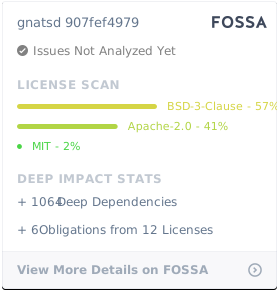
## License
|
|
|
|
Unless otherwise noted, the NATS source files are distributed
|
|
under the Apache Version 2.0 license found in the LICENSE file.
|
|
|
|
[](https://app.fossa.io/projects/git%2Bgithub.com%2Fnats-io%2Fgnatsd?ref=badge_large)
|